
Google Keyword Planner
24 Oct 2024
Google Keyword Planner
Google Keyword Planner is a tool for conducting keyword research
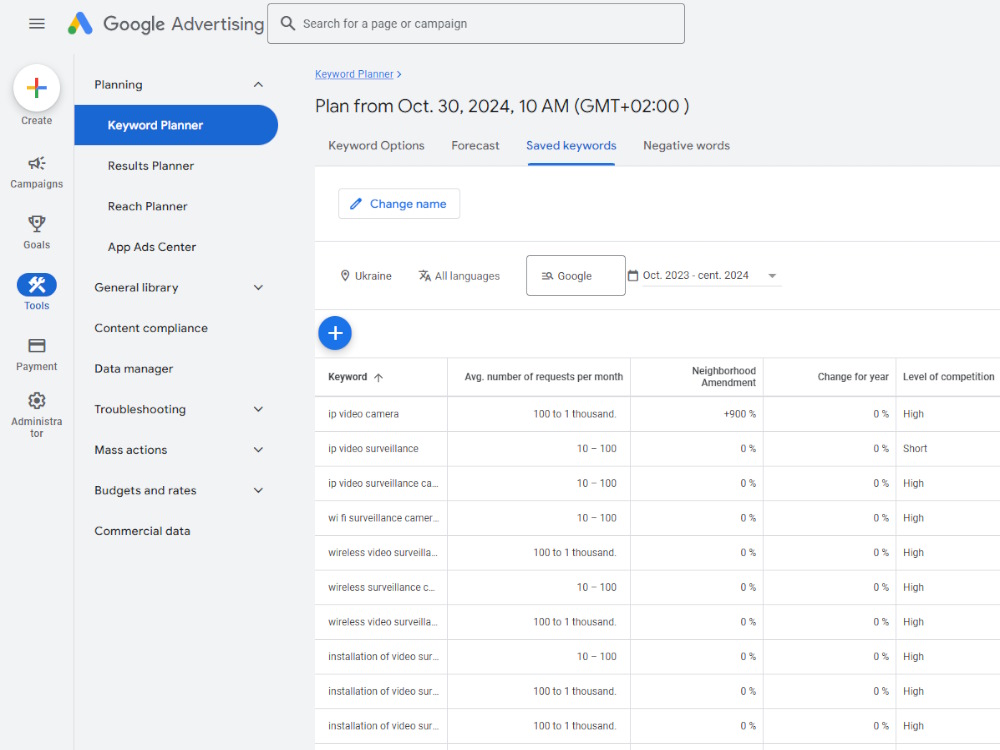
It provides insights into search volume, competition, and related terms, helping you identify relevant keywords for your SEO campaigns.
Key Features of Google Keyword Planner
- Keyword Ideas: Generates keyword suggestions based on your seed keywords or website URL.
- Search Volume: Provides estimated monthly search volume for each keyword.
- Competition: Indicates the level of competition for each keyword.
- Ad Group Ideas: Suggests ad group ideas based on your keywords.
- Keyword Planner Campaign: Allows you to create hypothetical campaigns and estimate costs.
How to Use Google Keyword Planner
- Access the Tool: Log in to your Google Ads account and navigate to the "Tools and Settings" section.
- Create a New Campaign: Start by creating a new campaign, even if you don't intend to run ads.
- Access Keyword Planner: In the campaign setup process, you'll find the "Keywords" tab, where you can access Keyword Planner.
- Enter Seed Keywords: Enter your initial keywords or website URL.
- Analyze Results: Review the suggested keywords, their search volume, competition, and related terms.
- Refine Your Keyword Pool: Select relevant keywords and add them to your keyword pool.
Tips for Effective Keyword Research with Google Keyword Planner
- Use Broad Match: Start with broad match keywords to explore a wider range of possibilities.
- Consider Long-Tail Keywords: Long-tail keywords are often less competitive and can attract more targeted traffic.
- Analyze Competition: Evaluate the competition for each keyword to determine its feasibility.
- Use Related Terms: Explore related terms suggested by Keyword Planner to
Add Comments